Does Maretron offer a quick setup procedure for a DSM250 Anchor Watch favorite screen?
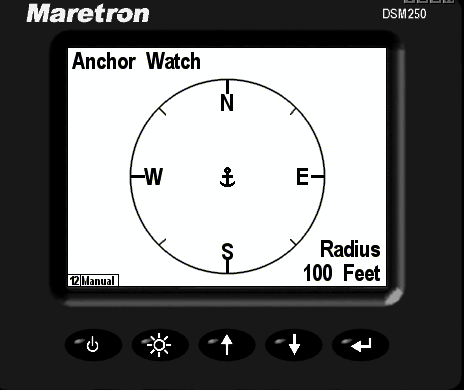
Estimated Reading Time: 1 MinutesDSM150 and DSM250 display with firmware version 1.4.6 or higher with factory default settings have a single anchor watch alert and favorite screen associated.
- Favorite screen 12 has the Anchor watch displayed.
- The Anchor radius defaults to 100 Feet.
- Use the arrow keys to display favorite screen 12 with the Anchor watch display.
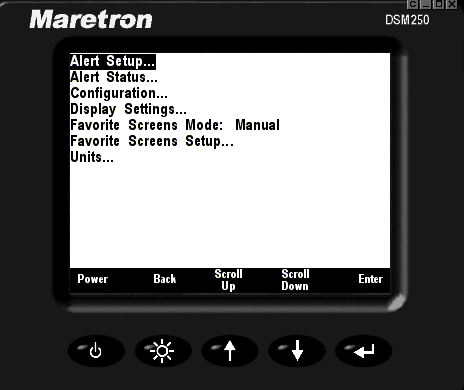
- Press the key to display the menu
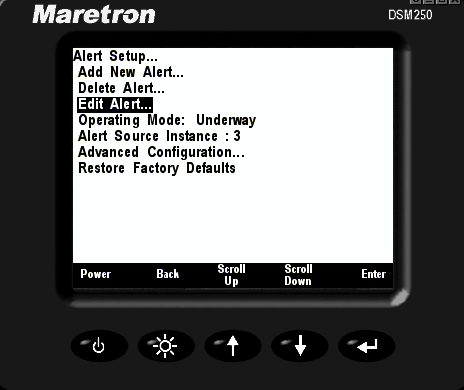
- Press to display the Alert menu and then use the arrow keys to scroll to the "Edit Alert..." submenu
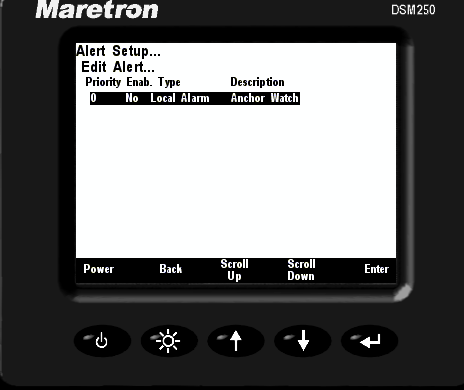
- Press to display the Edit Alert submenu. The Anchor Watch alert will be highlighted.
- "Enable/Disable Control" will be highlighted. Press to highlight "Disable", press the or keys to change it to read "Enable" and press once more.
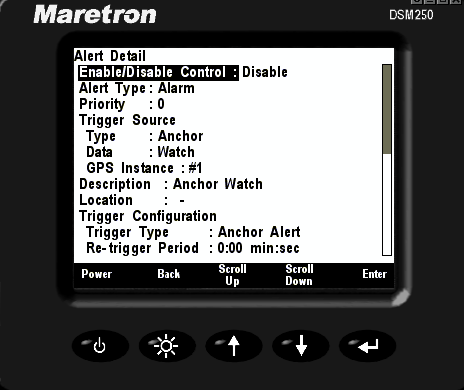
- Use the and keys to move the highlight to "Get Current Position" and press .
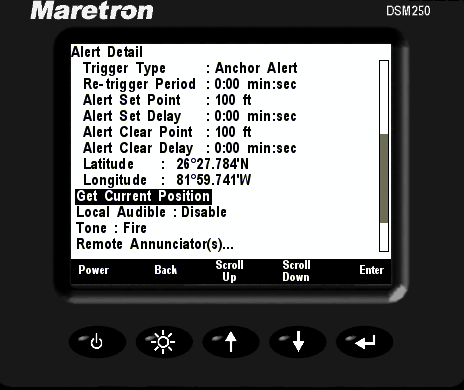
- Use the and keys to move the highlight to "Operating_Mode_Anchored". Press to move the highlight to the right, and then use the and keys to change the field to read "Enable". Then press .
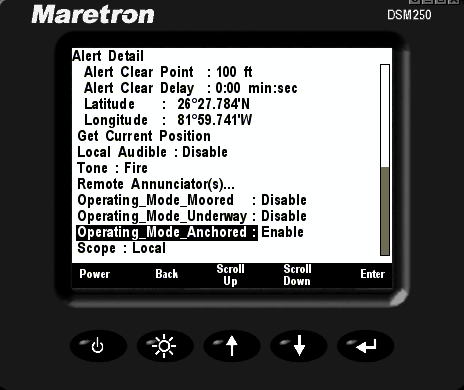
- Press the key until the Anchor Watch favorites screen is displayed.

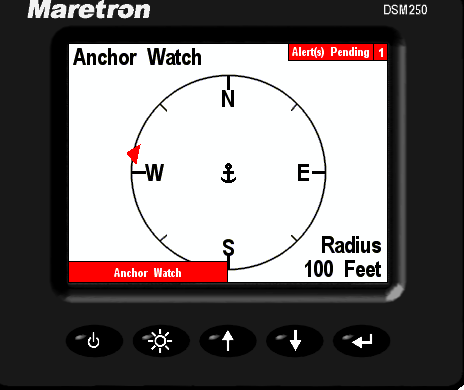
- In this screenshot, notice the vessel image drifting outside of the Anchor fence radius prior to an alarm.
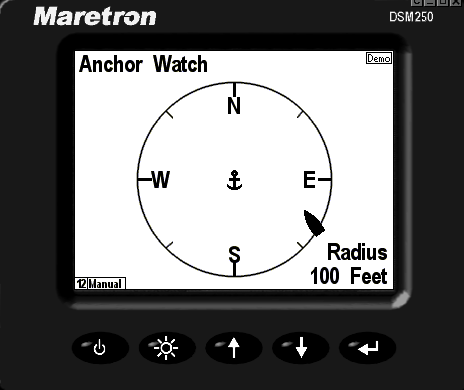
- Here, the vessel has drifted outside of the Anchor Watch fence. A red arrow indicates the direction of vessel in reference to the Anchor set point.
- When an Alert condition is active press the button
 to accept the alert. However, if an alert condition is not cleared, the alarm will remain visible on the upper right corner of the DSM150 or DSM250 display.